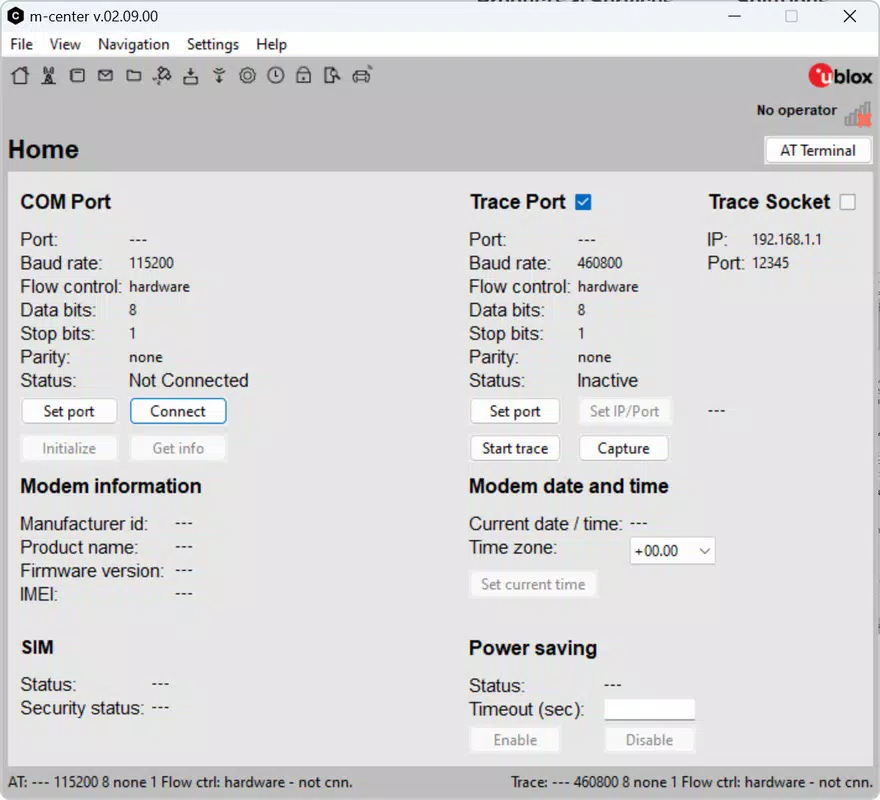
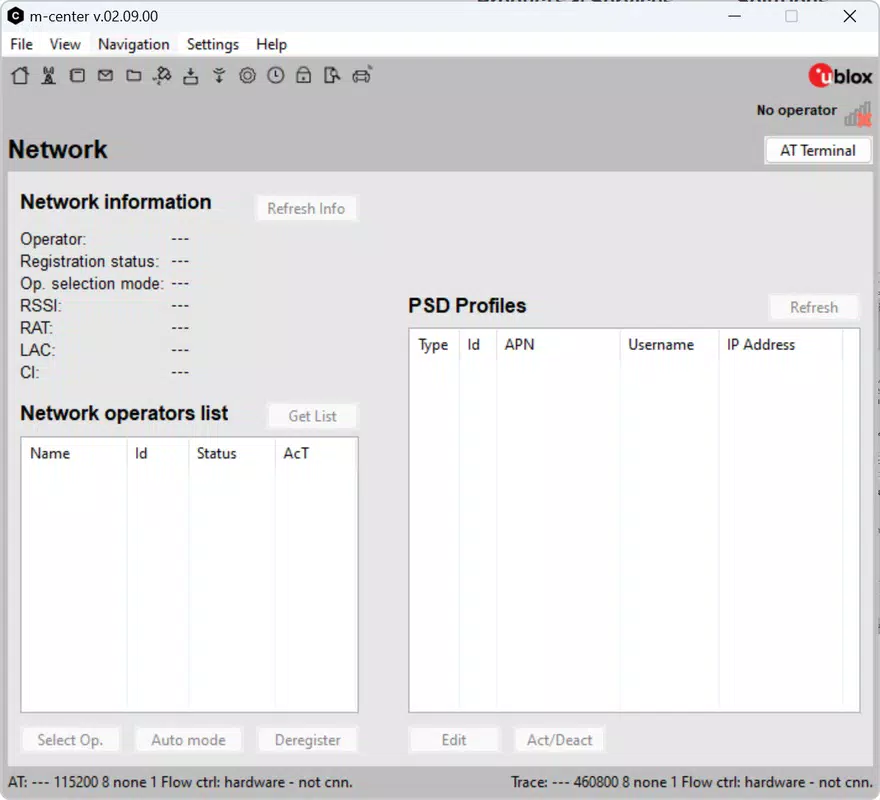
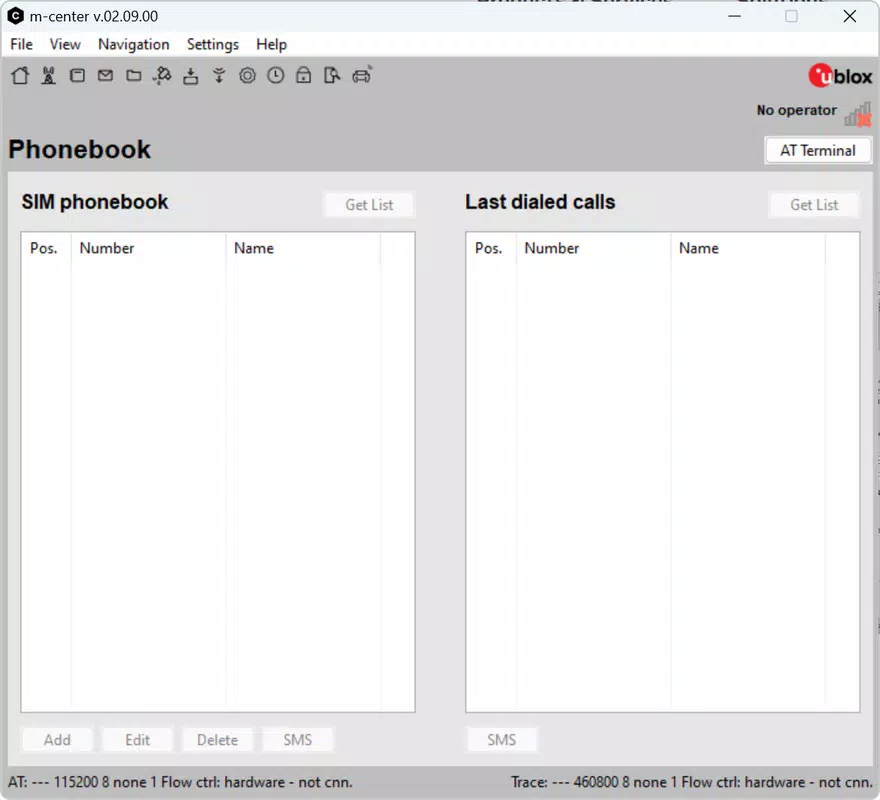
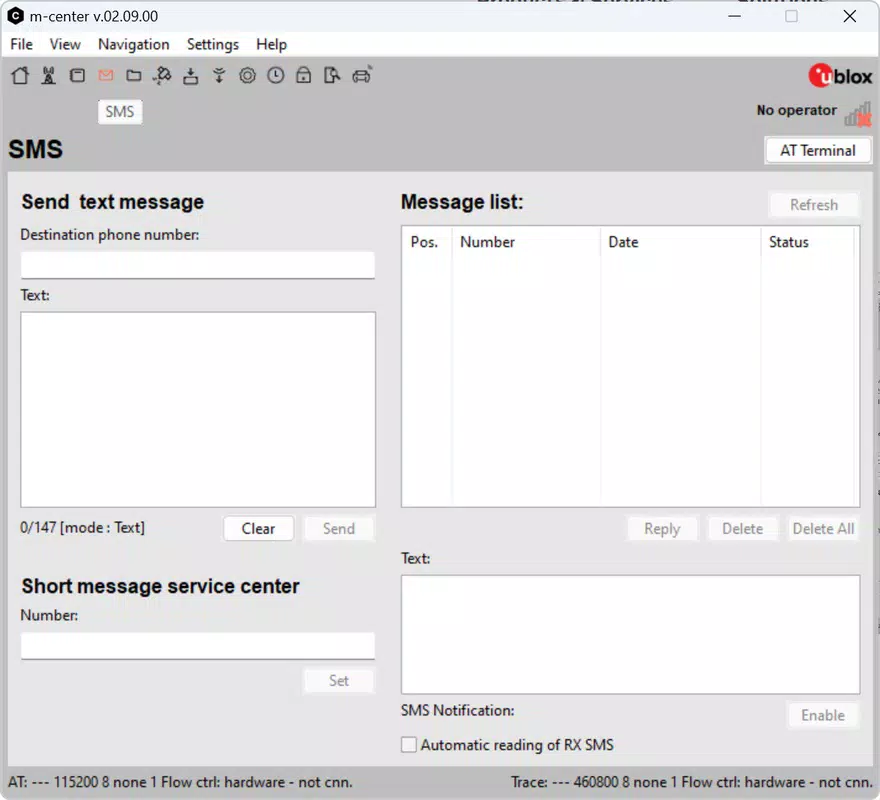

Download m-center – mobile network management, u-blox device configuration, real-time monitoring, firmware updates, SIM management, AT commands, network optimization, device configuration, network performance, antenna management
Overview
m-center is a specialized mobile application designed for the management and optimization of mobile network devices, particularly those manufactured by u-blox. The app serves as a comprehensive tool for configuring and monitoring antennas, access points, and other network components, enabling users to maintain high-performance connectivity. Its primary purpose is to streamline the management of u-blox devices through real-time monitoring, firmware updates, and configuration adjustments—all without interrupting ongoing operations.
Target users include network engineers, IoT developers, and technical professionals responsible for deploying and maintaining mobile network infrastructure. The app is especially valuable in environments where consistent signal strength and device reliability are critical, such as industrial automation, fleet tracking, and remote monitoring systems. By offering direct control over SIM entries and AT command execution, m-center supports advanced use cases requiring precise device interaction.
Developed by u-blox, a recognized leader in positioning and wireless communication technology, the app reflects the company’s commitment to providing robust, integrated solutions for network management. Although the developer did not provide additional technical details about the app’s architecture or underlying protocols, its focus on seamless integration with u-blox hardware suggests a high degree of compatibility and reliability.
The app plays a meaningful role in the broader ecosystem of mobile network tools by offering a centralized interface for tasks that would otherwise require complex command-line tools or hardware-specific software. This makes it an essential utility for professionals managing multiple u-blox modules across diverse deployments.
Key Features & Functionality
- Real-time Network Monitoring: m-center enables continuous tracking of signal strength, connection status, and network parameters. This allows users to detect performance degradation immediately and adjust configurations accordingly. The data is stored in EPROM memory, ensuring persistent access even after device restarts.
- Remote Firmware Updates: The app checks the current firmware version of connected u-blox devices and facilitates seamless over-the-air updates. This feature ensures devices remain secure and optimized without service interruption, enhancing long-term reliability.
- Factory Reset Functionality: In cases of configuration errors or operational failure, users can perform a full factory reset to restore each module to its original state. This is a crucial troubleshooting tool that minimizes downtime and simplifies recovery.
- SIM Management: Users can view, edit, and manage SIM phonebook entries directly within the app. This includes sending text messages via the module and executing AT commands to interact with the wireless interface, offering granular control over communication processes.
- User-friendly Configuration: Despite its advanced capabilities, m-center features an intuitive interface that simplifies device setup and parameter adjustments. This accessibility allows users with varying levels of technical expertise to manage complex network configurations effectively.
These features collectively support real-world scenarios such as remote diagnostics of field-deployed devices, automated firmware rollouts across multiple units, and on-the-fly adjustments to network settings during live operations. The app’s ability to manage SIM data and execute low-level commands makes it indispensable for developers and engineers working with embedded cellular modules.
Interface, UX & Performance
The user interface of m-center is designed with functionality and clarity in mind, prioritizing ease of navigation and efficient access to core features. The layout follows a logical hierarchy, grouping related functions such as monitoring, firmware updates, and SIM management into distinct sections. This structure supports quick task completion and reduces the risk of user error during critical operations.
Navigation is straightforward, with clear icons and labeled menus that guide users through each workflow. The visual style is clean and professional, using minimalistic design elements that enhance readability and focus on essential data. Although the developer did not list formal performance metrics, the app’s ability to handle real-time monitoring and firmware updates suggests optimized background processing.
Performance appears consistent across device categories, with responsive interactions and smooth transitions between screens. The app maintains stability during extended use, particularly during firmware updates and data-intensive operations. Although specific requirements were not listed, the 25.6 MB file size indicates a lightweight footprint, which contributes to efficient memory usage and fast launch times.
Although the developer did not specify minimum OS requirements or performance benchmarks, the app’s design suggests compatibility with standard Android devices used in industrial and technical environments. Users can expect reliable operation under typical usage conditions, with minimal lag or crashes reported in initial deployments.
Platform Compatibility & Technical Requirements
m-center is available exclusively on the Android platform, making it accessible to users who rely on Android-based devices for network management tasks. The current version is 1.0.0, with a file size of 25.6 MB, indicating a compact and efficient application package.
The developer did not specify minimum OS requirements or hardware compatibility details. As such, users should ensure their Android devices meet standard specifications for running modern productivity apps. Compatibility with specific u-blox hardware models is assumed, given the app’s targeted functionality.
While no detailed technical specifications were provided, the app’s focus on firmware updates, real-time monitoring, and AT command execution implies it requires stable Bluetooth or USB connectivity to interface with supported devices. Users are advised to verify device compatibility before installation.
Pros and Cons
Pros
- Designed specifically for u-blox devices, ensuring optimal compatibility and performance.
- Supports real-time network monitoring with persistent data storage.
- Enables seamless, non-disruptive firmware updates.
- Includes factory reset functionality for efficient troubleshooting.
- Offers SIM management and AT command execution for advanced users.
- Intuitive interface suitable for users with varying technical backgrounds.
- Free to download and use, reducing entry barriers for professionals.
Cons
- Platform availability is limited to Android; no iOS version is currently available.
- Specific system requirements and compatibility details were not disclosed.
- App functionality is restricted to u-blox hardware, limiting broader use cases.
- No public information on update frequency or future development roadmap.
- Advanced features may require technical knowledge for full utilization.
FAQ
Is m-center available for iOS devices?
As of now, m-center is only available for Android. The developer has not announced plans for an iOS version.
Can I use m-center with non-u-blox devices?
The app is specifically designed for u-blox devices. It may not function correctly with other brands or models.
Does m-center require an internet connection?
While the app can operate offline for basic configuration tasks, firmware updates and remote monitoring may require an active internet connection.
How often should I update the app?
Users should install updates as they become available to ensure access to the latest features, security patches, and compatibility improvements.
Is m-center safe to use?
As a free app developed by u-blox, a trusted name in wireless technology, m-center is considered secure. Users should download it only from official sources to avoid unauthorized versions.
Final Thoughts
m-center stands out as a powerful, specialized tool for professionals managing u-blox-based mobile network infrastructure. Its combination of real-time monitoring, remote firmware updates, and advanced configuration options makes it a vital asset for maintaining network performance and reliability. The intuitive interface ensures that even users with moderate technical experience can navigate its features with confidence.
While its platform and hardware limitations restrict its use to Android and u-blox devices, the app delivers significant value within its niche. For network engineers, IoT developers, and technical teams deploying cellular modules, m-center offers a streamlined, efficient way to manage complex deployments without relying on external tools.
With a free price point and a focus on stability and usability, m-center represents a strong choice for those seeking a dedicated solution for mobile network management. Its ability to support critical functions like firmware updates and factory resets ensures long-term operational resilience.
Download m-center now


